Tampilkan postingan dengan label Emulator. Tampilkan semua postingan
Download Emulator PS2 (Pcsx2) Full + Cara Setting

Minimum System Requirement :
- Prosesor: Minimum dual core (Recommend core2duo)
- VGA : Minimum Gforce 6600 atau ATi Radeon X1300
- RAM : Minimum 512MB (windows XP) atau 1GB (windows 7)
- Support Windows XP / Windows 7 32 dan 64 bit

Oke kalau udah didownload di Extract, Run program Pcsx2nya pilih
Configuration lalu sesuaikan setting kamu seperti gambar dibawah ini,
jangan lupa set Plugins dan Biosnya yang udah ada di dalam Folder
Plugins dan Bios, atau kalau kamu mau yang terbaru bisa cari di mbah google.
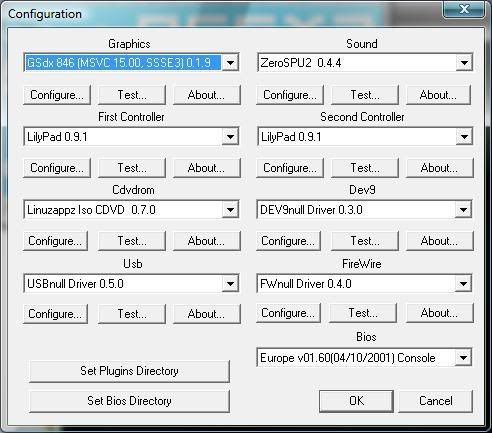
Setelah itu pilih CPU Config dan sesuai kan setting kamu dengan gambar dibawah ini 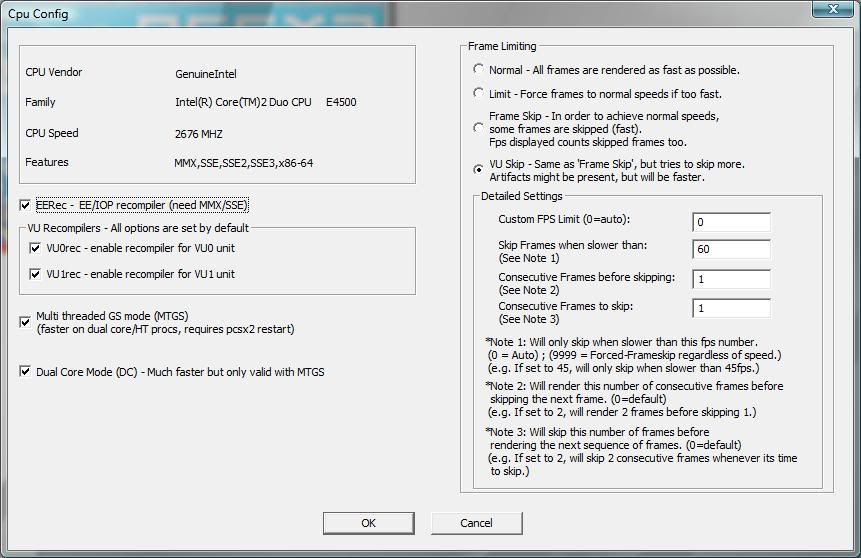
Setelah itu pilih Speedhack dan sesuai kan setting kamu dengan gambar dibawah ini
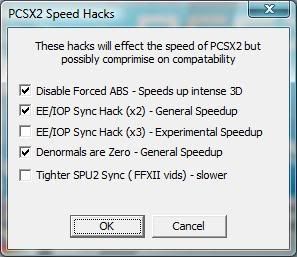
Setelah semua nya beres tinggal Run DVD Ps2 kamu, atau yang ingin
memakai File ISO game Ps2 gunakan Ultra ISO untuk menjadikan DVD Ps2
menjadi file ISO, setelah di jadikan file ISO kini kamu tidak akan
memerlukan DVD Ps2nya lagi^^
[Download UltraISO]
Password : d'Niell Soft
Password : d'Niell Soft
Ini
dia emulator ps1 yang sering saya gunakan untuk bermain sebuah game ps1
di komputer yang berformat ISO, emulator ini adalah ePSXe v1.7.0 ,
software ini telah di lengkapi dengan BIOS dan PLUGIN, bagi anda yang
juga mau bermain game ISO ps1 di pc bisa langsung di download aja ...
Download
Cara Penggunaan
-> Download dan ekstrack Emulator ps1 tersebut
-> Kemudian di dalam folder emulator ePSXe v1.7.0 klik 2x icon stik Ps
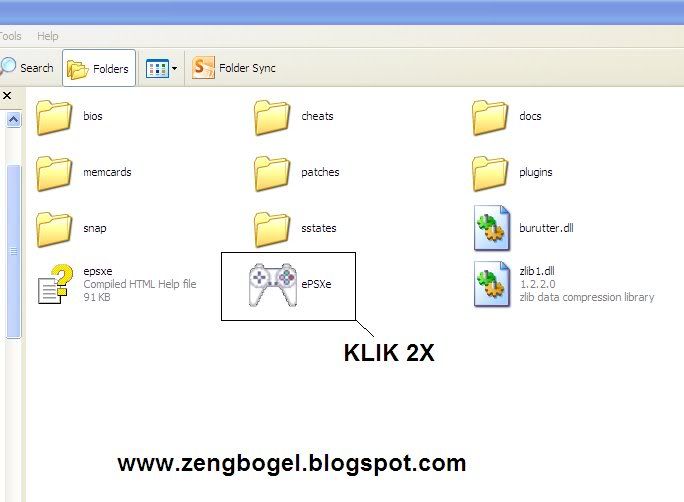
-> Lalu pilih file dan klik Run ISO
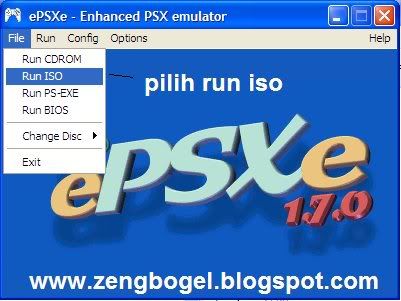
-> Kemudian pilih gamenya
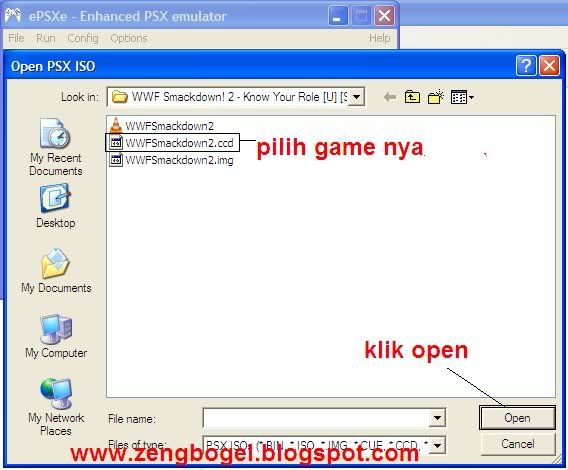
-> Nanti gamenya akan muncul !!!

Fitur Save dan Load
-> Untuk fitur ini silakan gunakan seperti biasa, Seperti ketika anda ingin save dan load pada suatu game, yaitu cari tempat untuk save dan load pada game tersebut ^_^
Pengaturan Kontrol
"pengaturan kontrol berlaku untuk menggunakan stik ataupun keyboard"
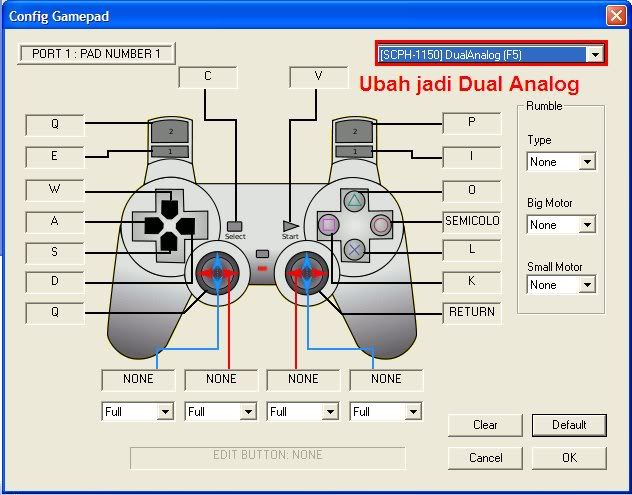
-> Klik Config -> Klik Game Pad -> Klik Port 1 -> Klik Pad 1
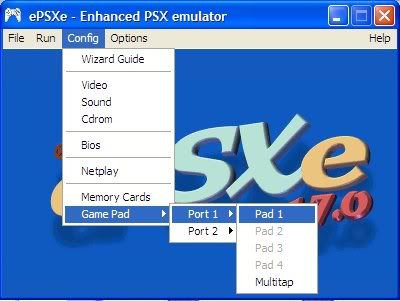
-> Kemudian atur control sesuai dengan keinginan anda
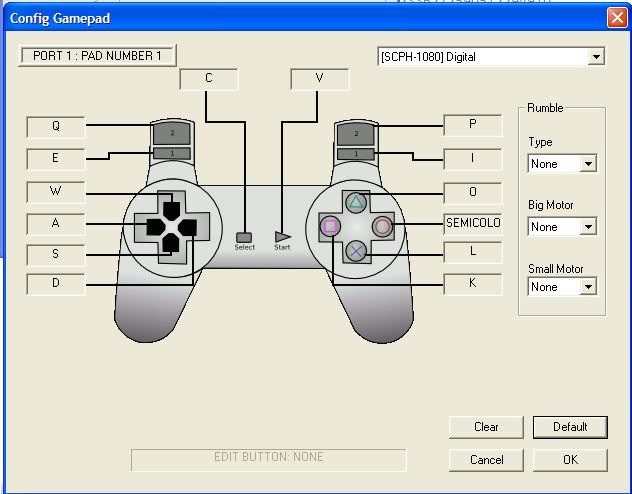
-> kemudian Penganturan kontrol untuk stik berAnalog ( ubah Digital menjadi DualAnalog )
*Tips ...
Jika suatu saat ada game yg tidak bisa di mainkan di emulator ini, coba atur BIOS nya dulu ..
-> Kemudian di dalam folder emulator ePSXe v1.7.0 klik 2x icon stik Ps

-> Lalu pilih file dan klik Run ISO

-> Kemudian pilih gamenya

-> Nanti gamenya akan muncul !!!

Fitur Save dan Load
-> Untuk fitur ini silakan gunakan seperti biasa, Seperti ketika anda ingin save dan load pada suatu game, yaitu cari tempat untuk save dan load pada game tersebut ^_^
Pengaturan Kontrol
"pengaturan kontrol berlaku untuk menggunakan stik ataupun keyboard"
-> Klik Config -> Klik Game Pad -> Klik Port 1 -> Klik Pad 1

-> Kemudian atur control sesuai dengan keinginan anda

-> kemudian Penganturan kontrol untuk stik berAnalog ( ubah Digital menjadi DualAnalog )

*Tips ...
Jika suatu saat ada game yg tidak bisa di mainkan di emulator ini, coba atur BIOS nya dulu ..
*ini hanya jika ada problem tentang BIOS ...
-> Pilih config -> BIOS

-> Kemudian klik select dan pilih salah satu BIOS ...

-> BIOS sudah tersedia di dalam folder emulator ( tinggal pilih yang mana saja )!!!
Tested By Me ...
Semoga Berguna ^_^
Tested By Me ...
Semoga Berguna ^_^
PPSSPP Gold - PSP emulator APK Full v0.9.5

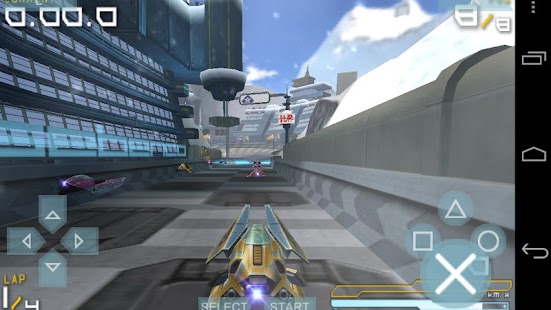
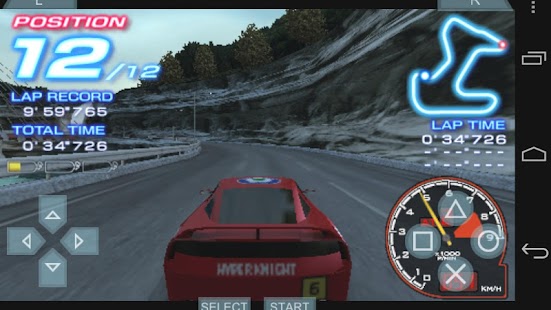
PPSSPP is the best, original and only PSP emulator for Android.
Size: 16 Mb | Android: 2.2 and up
It runs a lot of games, but
depending on the power of your device all may not run at full speed. Buy
PPSSPP Gold to support the development. A free version is also
available, you may want to try it first.
Please note that ARMv6-based devices may have various kinds of issues, and more modern devices are recommended.
Please note that ARMv6-based devices may have various kinds of issues, and more modern devices are recommended.
v0.9.5 APK FILE: HERE
My Boy! - GBA Emulator v1.5.20 Full Apk

My Boy! is a super fast emulator to run GameBoy Advance games on the broadest range of Android devices, from very low-end phones to modern tablets.
Size: 617 Kb | Android: 1.6 and up
It does more than just emulating the full system. Thanks to the save
state system, you can save progress at any time and return back to it
instantly. And while enabling fast-forward in game, you can quickly skip
the long boring intros/dialogs in RPGs.
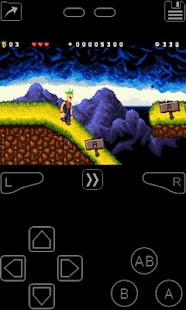
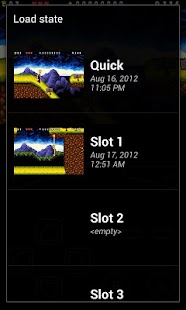
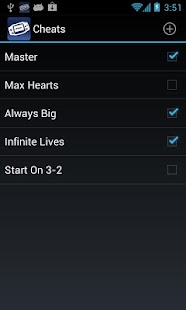
v1.5.20 APK FILE: HERE
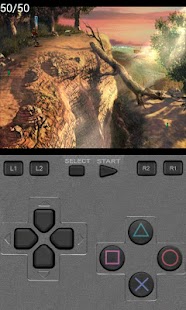
ePSXe for Android APK Full v1.9.12 Paid

ePSXe for Android is a Playstation emulator (PSX and PSOne). It is a port of the famous ePSXe for PC.
Size: 2.4 Mb | Android: 2.2 and up
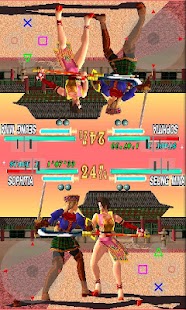
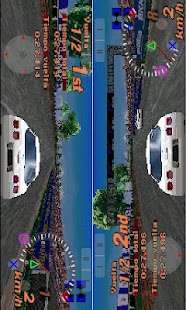
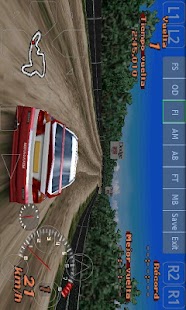
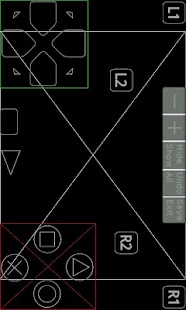
ePSXe provides very high compatibility (>99%), good speed, and accurate sound. It is designed for smartphones and tablets, (for 1-4 players) including a fun 2 players option with split screen mode. It includes virtual touchscreen pad support, hardware buttons mapping (Xperia Play, phones with keyboard or gamepad, external gamepads bluetooth or USB such as WiiMote, Sixaxis, Xbox 360, Moga, Ipega) and analog sticks. ePSXe supports OpenGL HD enhanced graphics thanks to the Peopsxgl Plugin, cheat codes as well as savestates and memcards compatibility with the PC version. ePSXe includes native support for ARM and Intel Atom X86.
What's New:
Version 1.9.12
Fixed a bug releasing key button.
Fixed a regression on subchannel code.
Improved automapping on Moga PRO HID mode.
Version 1.9.11
Fixed a regression on Xperia Play Circle Button, and improved Xperia Play detection.
Fixed a bug using SBI files. Final Fantasy 8 PAL/ITA, Medievil 1 PAL/SPA.
Re-enabled trick to run Chinese Final Fantasy 8 Translation.
Fixed a core bug: Nba in the Zone 2000.
Version 1.9.6/1.9.10
Added auto-mapping support with some gamepads.
Fixed some graphic glitches on opengl plugin for Adreno GPU.
Added support to map a button to menu option. (back=menu by default on Nvidia Shield)
Fixed a possible race condition saving memcards.
Mapped the touchpad buttons to L2/R2 in Xperia Play when playing on Digital mode.
Fixes more than 10 new games (NBA Live 99, Kamen Rider V3, Star Wars Rebelt Assault 2, Yeh Yeh Tennis,)
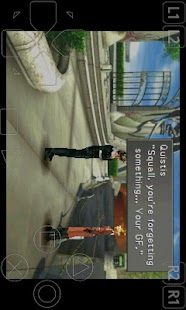
v1.9.6 APK FILE: HERE
FPse for android v0.11.118 Full Apk Download

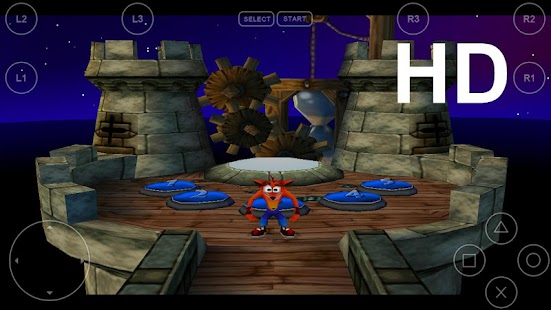
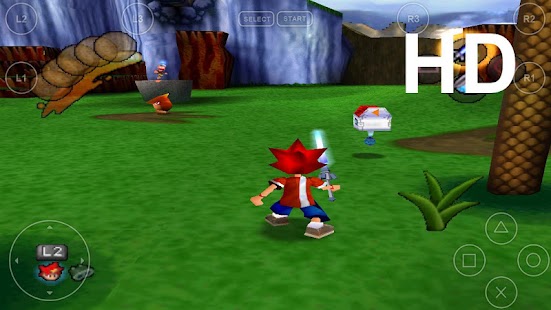
FPse for Android is the fastest and most compatible PSone emulator for handheld devices.(also known as PSX or Playstation 1)
Size: 1.6 Mb | Android: 2.1 and up
FPse is able to render PSone games in high resolution by using OpenGL which gives outstanding graphics!
What's New:
FPse 0.11.118:
- Fix Cyanogenmod 4.4 crash
- Fixed gamepad sticky problem with famous game ’Silent bomber’ .
- Fixed Android 4.3 external storage detection.
- Fixed OpenGL and Full scene Anti Aliasing, use it with Texture filtering.
- Fixed Framelimiter and sound delay. Much smoother, no more delay with audio.
- Optimized opengl plugin to10 to 15% boost.
- Added native support of gamepad vibration.
- Added Low latency plugin to plugins package. Switch to it from the cover context menu and Audio submenu then restart FPse.


